How do I send a load or rifle to a friend, iPhone or Android?
In My Armory, touch and hold the load's card and tap Share to send it as a small file, or touch and hold a rifle and tap Share Rifle to send it with its loads and zero as a file, a link or a QR code. Your friend opens it in Ballistics Calculator on an iPhone or an Android phone, checks the preview, and adds it.
The steps
The same on iPhone and Android, and the two read each other’s files, links and QR codes. Sharing and adding are free. A rifle a friend sends you counts as one of your own, so it calculates with Pro or the 7-day free trial; the five sample rifles calculate free.
-
Decide what to send. One load goes as a small file (it ends in .bcload). A rifle goes with all its loads and its zero as a file, a link or a QR code. A whole build (the rifle with its load, optic, suppressor and night gear) and a single optic or suppressor go the same way as a rifle, from the same menus.
-
To send one load, touch and hold its card. In My Armory, find the load on the Ammo shelf, touch and hold its card, and tap Share. (On the iPhone you can also open the rifle in Edit Rifle, go to Loads, and long-press or swipe the load to find Share.)
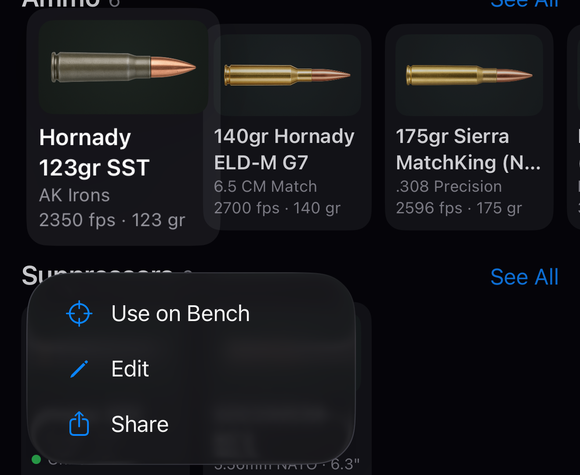
Touch and hold an ammo card: Use on Bench, Edit and Share. -
Send the file. The phone’s share sheet opens with the file, named after the load, and a plain-text summary in your units: name, cartridge, bullet, BC and drag model, muzzle velocity at its temperature, temperature sensitivity, powder and notes. Send it with any app on the sheet. The load file carries no zero; a rifle’s zero stays with the rifle.
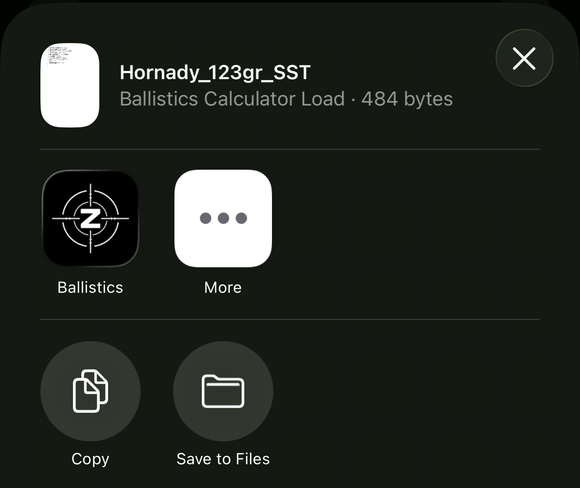
The share sheet for a load: the file Hornady_123gr_SST (Ballistics Calculator Load, 484 bytes), then Ballistics, More, Copy and Save to Files. -
To send a rifle, use Share Rifle. In My Armory, touch and hold the rifle’s card and tap Share Rifle, or open the ••• menu and choose Share Rifle, then pick the rifle. A sheet opens with an Include ballistics & zero switch, on by default. Then choose Share (a file ending .ballisticsbuild, with a short message), Show QR Code (a big code on a bright screen for another phone’s camera), or Copy Link (a zimaballistics.com link; the button then reads Copied).
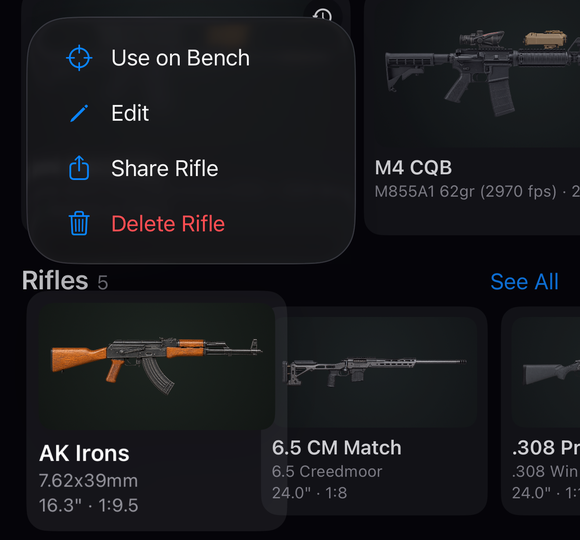
Touch and hold a rifle's card: Use on Bench, Edit, Share Rifle and Delete Rifle. -
Your friend opens a load file. Opening the file from Messages, Mail or Files in Ballistics Calculator checks it first and shows its summary in that phone’s units. Your friend picks the rifle it goes on, and it is added there. A phone with no rifle yet says “Add a rifle in the Armory first, then open the file again.”
-
Your friend adds a rifle, build or part. Opening the file or link from Messages, Mail or Files opens a preview. Or open My Armory, tap +, and choose Add a Shared Build, then Scan QR Code, Paste Link (tap Paste, then Open Link) or Import Build from Files. The preview (Shared Build, or Shared Rifle for a rifle on its own) shows what is in it; tap Add to My Armory. A name your friend already has gets a number after it.
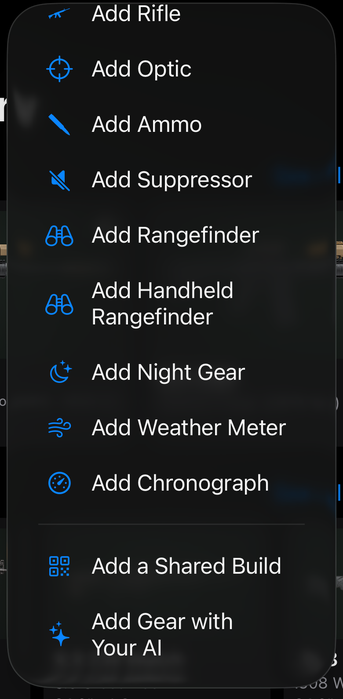
The bottom of the + menu: Add Chronograph, a divider, then Add a Shared Build and Add Gear with Your AI.
If it went a different way
- The preview says Not Added. The file is not a build, it is damaged, or it was made by a newer version of the app. Update the app and open it again; nothing is imported meanwhile. A load file from a newer version gets a similar message.
- The QR code or link is too big. A rifle too big for one code says “Too Big for One QR Code” and offers Share (the file) instead. A link too big says “This build is too big to share as a link. Share it as a file instead.”
- The camera is off. Scan QR Code says “Camera access is off. Turn it on in Settings to scan a QR code.” with Open Settings. You can paste the link or import the file instead.
- A link opens in the browser instead of the app. Copy it and use Paste Link.
- You turned off Include ballistics & zero. Only the gear and pictures go, and the rifle arrives not zeroed with the note “Gear only: add your load and zero before shooting it.”
- Your friend does not have the app. The share message tells them where to get it free.
A shared load or rifle brings the numbers, not the result. A load file carries no zero, so your friend’s rifle keeps its own zero. A rifle shared with its zero arrives with your zero, and your friend still needs to check it at the range. (Guide: Copying, renaming and sharing loads)
The full detail, with a picture of every screen, is in the Operator’s Guide: Share a build. More how-to answers. Questions? Contact support.