
I zeroed my rifle with one load. How do I zero a different load without burning a box of rounds finding it?
Add the new ammo as a second load on the same rifle and tell the app which load you zeroed with. It estimates where the new load hits from the two loads’ speeds, bullet weights and drag, with no shooting, and three shots at the range make that estimate exact.
The steps
The same on iPhone and Android, Ballistics Calculator 2.0.44 and newer. For example: you zeroed with a 110 gr bullet and now want to shoot an 85 gr one. The numbers in the pictures are examples.
-
Put both loads on the same rifle. In the Armory, tap + and choose Add Ammo to give the rifle a second load. Fill in its bullet, BC and drag model, and muzzle velocity. The load you zeroed with is your zero load.
-
Check the zero load is marked as the zero. On the Calculate tab, with that load selected, the ammo line says Zeroed with this ammo. If it does not, zero the rifle at the range, then tap Zeroed Here at the top of the Zero part and answer Make this the zero?
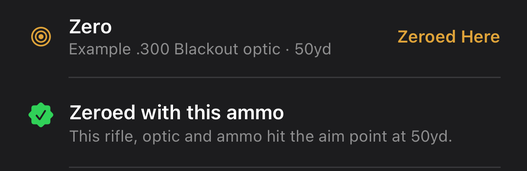
The Zero line under the loadout, green: Zeroed with this ammo. -
Switch to the new load. A load you have not checked shows an orange line under the loadout: This ammo isn’t checked against your zero. The first time you switch to it, the app asks Zeroed with a different load? Under Which load did you zero it with?, tap your zero load.
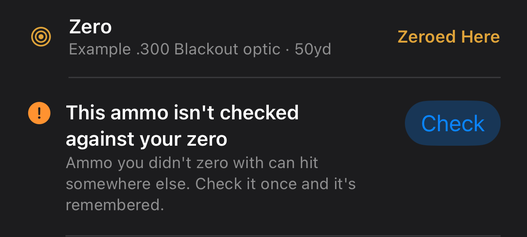
The orange line for a load that was never checked, with its Check button. 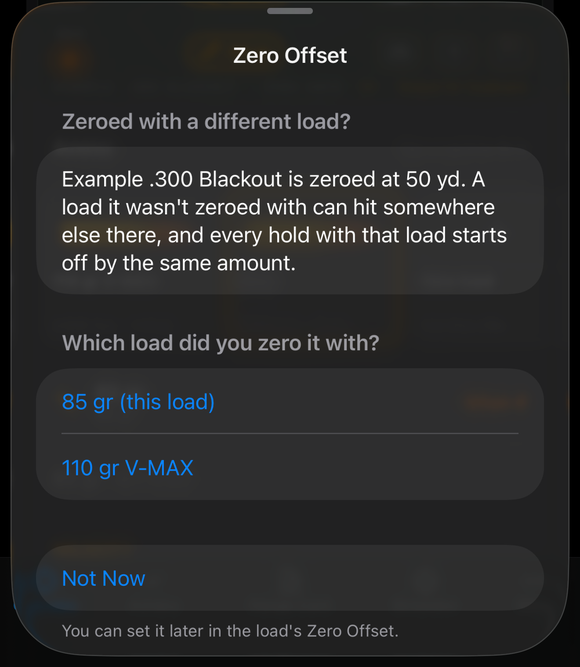
The question Zeroed with a different load?, listing the loads under Which load did you zero it with? -
Read the estimate. The app shows how far high or low the new load hits at your zero distance. Tap Use the Estimate to go with it, or Confirm with 3 Shots to check it at the range. After Use the Estimate the orange line reads Estimated until you confirm it; its Confirm button opens this estimate page again.
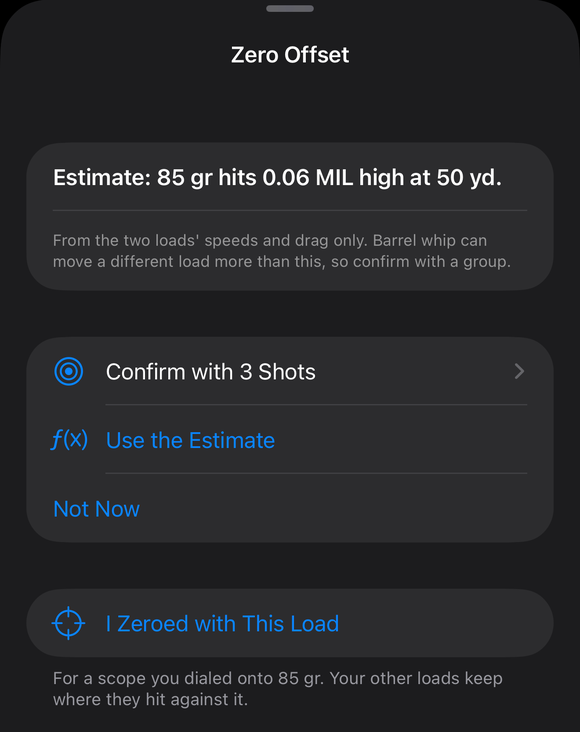
The estimate page: how far the new load hits from the zero, with Confirm with 3 Shots, Use the Estimate, Not Now and I Zeroed with This Load. -
Confirm with three shots. Leave the turrets alone and aim at the same spot you zeroed on. Fire 3 shots from a solid rest and measure from your aim point to the middle of the group. On Measure with a Group, enter the distance, then High or Low and Right or Left, and tap Save.
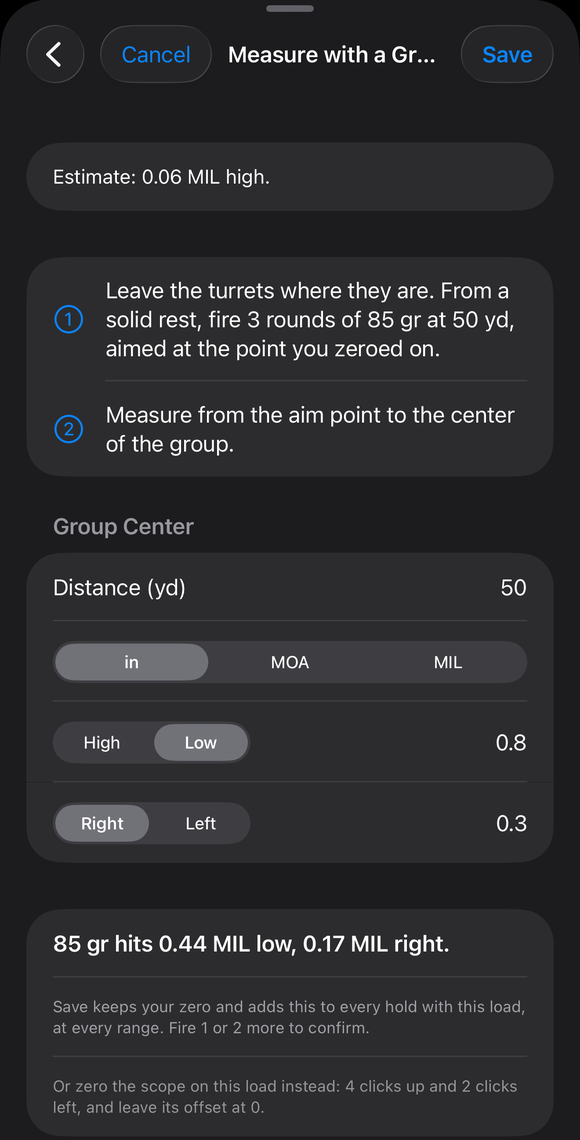
Measure with a Group filled in: distance, unit, High or Low and Right or Left, and the result line. -
Shoot either load. From then on every hold with the new load allows for that offset, at every range. Switch back to your zero load whenever you like: its zero is untouched, and each load keeps its own offset on that rifle.
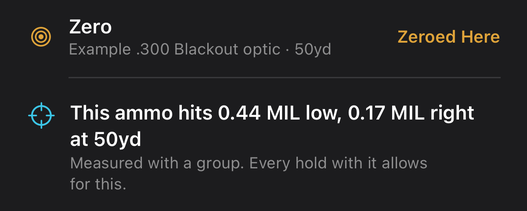
After a saved group: This ammo hits a little low and right at the zero distance, Measured with a group, Every hold with it allows for this.
If it went a different way
- You dialed the scope onto the new load instead. Tap I Zeroed with This Load on the estimate page. The new load becomes your zero, and the old one keeps where it hits.
- You tapped Not Now. The orange line stays under the loadout, with a Check button. Tap it any time to do the steps again. You can also set the offset in the load’s own Zero Offset card, in the full rifle editor, with Estimate from the Zero Load or Measure with a Group.
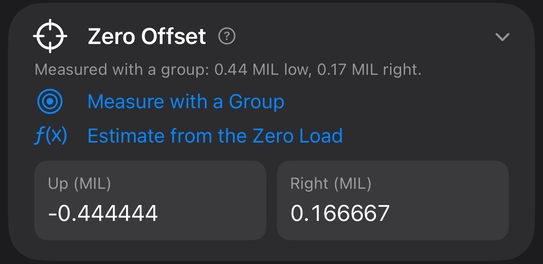
The estimate is from the two loads’ speeds and drag only. Barrel whip can move a different load more than this, so confirm with a group. The estimate gets you on paper; the three shots make it right.
The full detail, with a picture of every screen, is in the Operator’s Guide: Zeroed with a different load (the zero check). More how-to answers. Questions? Contact support.